On this page
Key takeaways
- A free row is different from a free verified email.
- A 25-row control export reveals most field and mapping problems.
- No free tier changes LinkedIn's terms or search-result limits.
What does 'free scraper' mean?
A free Sales Navigator scraper is a tool with a no-cost allowance for turning visible results into structured data.
Some tools count exported rows. Others count verified emails or credits. A cloud marketplace may include platform trial credits while charging separately for an Actor's usage. These units are not comparable until you specify the deliverable. For a list builder who already uses a separate email provider, paying for email discovery inside the exporter can be redundant.
Sales Navigator is still required for searches and lists that need a Sales Navigator login. LinkedIn does not provide a native CSV or XLS export of lead or account information. A free tier does not make a third-party extension officially approved by LinkedIn.
Four limits that matter more than the word free
Use a small test before running your target list, especially if it has saved leads or company accounts.
- Row allowance: is the cap per month, per day, per run, or per search? Does a failed run consume it?
- Page coverage: does the tool export people search, company search, lead lists and account lists, or only one of these?
- Field quality: are missing values blank, and are public LinkedIn URLs distinct from Sales Navigator URLs?
- Exit path: can you download an ordinary UTF-8 CSV or JSON, or only view records inside the vendor's dashboard?
A fair free-plan comparison
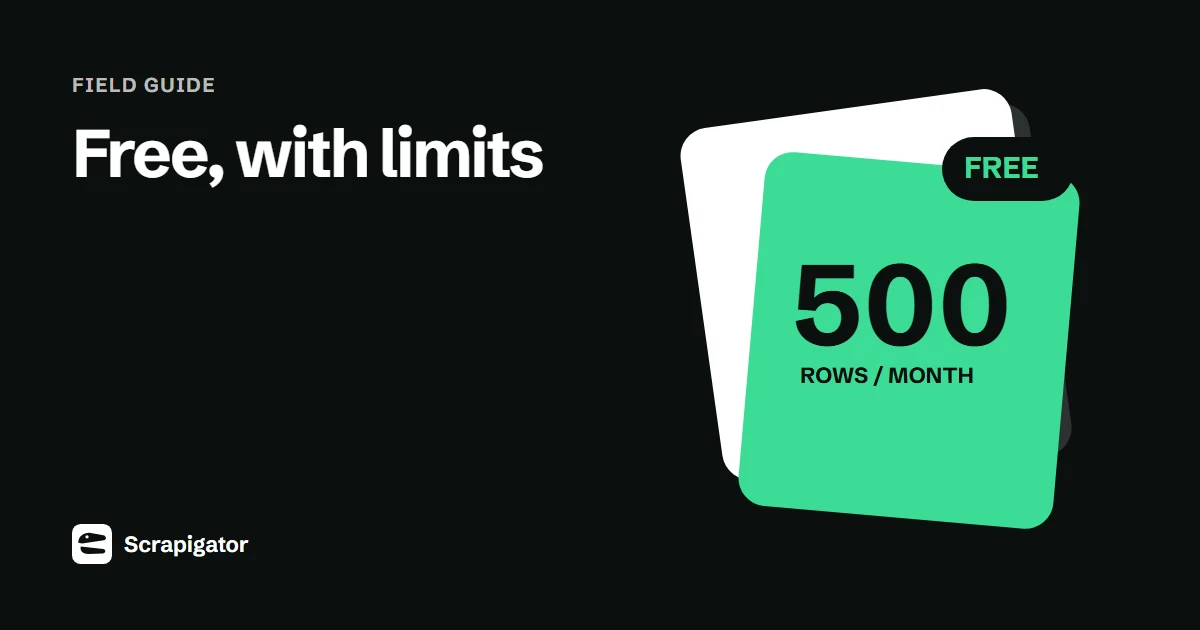
Scrapigator offers 500 exported rows per calendar month on its free plan. Its purpose is raw export; it does not find email addresses or phone numbers. Skrapp advertises a free email-finding allowance, which solves a different need. Apify Actors vary by creator and can charge through different models. Check each current pricing page immediately before use rather than relying on a roundup that may be stale.
A 25-row test should include accented names, a missing company field and at least one person whose public profile URL you know. Open the CSV in Excel and Google Sheets. If the first run gives you a neatly shaped but unusable table, a larger allowance will only produce more cleanup.
| Free unit | Good for | Hidden question |
|---|---|---|
| Exported rows | Testing data extraction | Are emails absent? |
| Email credits | Testing contact coverage | What happens to unmatched leads? |
| Platform credits | Testing a cloud Actor | Does the Actor charge separately? |
A free-plan worksheet that exposes the catch
Before installing anything, fill in the billing unit, renewal period, supported page types, export formats and whether an email lookup is included. A free Chrome installation may still require paid credits to export. A free email allowance may be smaller than the row allowance because those are separate products. Likewise, an Apify platform credit does not promise that a particular Actor has no usage charge.
A 25-row pilot is enough to measure basic quality. Export one visible page, then compare output count, names, company matches, public profile links and blank fields with what you can see. Make one row contain a comma in the company name and one contain an accented character. Open the resulting file through Excel's text/CSV import rather than relying on a double-click.
| Question | Write down |
|---|---|
| Free allowance | Number, unit and reset date |
| What counts | Attempted rows, successful rows, runs or enriched contacts |
| Supported source | People search, company search, saved lead list, saved account list |
| Portable output | CSV or JSON you can retain after the trial |
| Extra cost | Sales Navigator seat, email credits, cloud runtime or automation |
Download the free-plan scorecard (CSV template).
Decide whether the free output is usable
Suppose you need 400 named leads for an account review, with no emails yet. A 500-row raw export allowance might cover that task, provided it supports your list page and returns stable identity URLs. Fifty free email lookups do not cover the same task. If you later approve 30 leads for outreach, run only those 30 through an email provider and report matches separately.
Keep the original CSV, its source URL and export date. If you upgrade, rerun the same pilot and check whether the paid plan actually fixes your original failure. A bigger monthly quota cannot fix a tool that maps company names incorrectly. LinkedIn's own restriction on third-party scraping applies to free and paid tools alike.
Use this checklist
- Export a known 25-row page before a full list.
- Check one saved list if saved lists are your main source.
- Look for missing values, broken URLs and duplicate people.
- Estimate cost per usable row, not just cost per attempted row.
Run a useful free trial
Treat the free allowance as a quality check, not as a race to collect the maximum number of rows.
- 1
Write your required columns
List the fields the next tool requires: perhaps fullName, title, company, profileUrl and source date.
- 2
Export one controlled page
Use a search with 25 results so you can compare every row against the screen.
- 3
Check the file and destination
Open it in your spreadsheet and try the real import. Check accents, commas and blank fields.
- 4
Estimate the paid workflow
Divide your monthly required output by the product's actual billing unit, including enrichment or automation costs if needed.
Free-plan traps
- Calling a tool free because it installs for free while every useful export uses paid credits.
- Assuming a lead row includes an email. The result page and an enrichment database are different sources.
- Copying session cookies into an unfamiliar service without reviewing its authentication and data handling.
The next step
For a simple export, use the free allowance to validate your own Sales Navigator page and then decide whether the paid volume is worth it. For emails, test a small enrichment sample and record verified matches, unmatched rows and cost.
Continue with the scraper workflow, the email enrichment guide, the safety guide.
Questions
Is there a free LinkedIn Sales Navigator scraper?
Yes, some tools offer a limited no-cost allowance. Check the current row or credit cap and supported pages before using your real list.
Does Scrapigator require a card for its 500 free rows?
No. The free plan provides 500 exported rows per calendar month without a card; a Sales Navigator subscription is still needed for Sales Navigator data.
Can a free scraper export a saved lead list?
Some can and some cannot. Test the actual saved-list page; support for people search does not prove list support.
Are free scraper results accurate?
Accuracy depends on the source page and the tool's field mapping. Check a small control set against the visible records and preserve missing values instead of guessing.
Will a free tool avoid LinkedIn account restrictions?
No. LinkedIn prohibits third-party scraping extensions and automation, regardless of price.
Export your next Sales Navigator search
500 rows a month free. Pro is $10/month with unlimited exports and a 7-day money-back guarantee.