Chrome extension · CSV export
Sales Navigator scraper Chrome extension for clean CSV exports
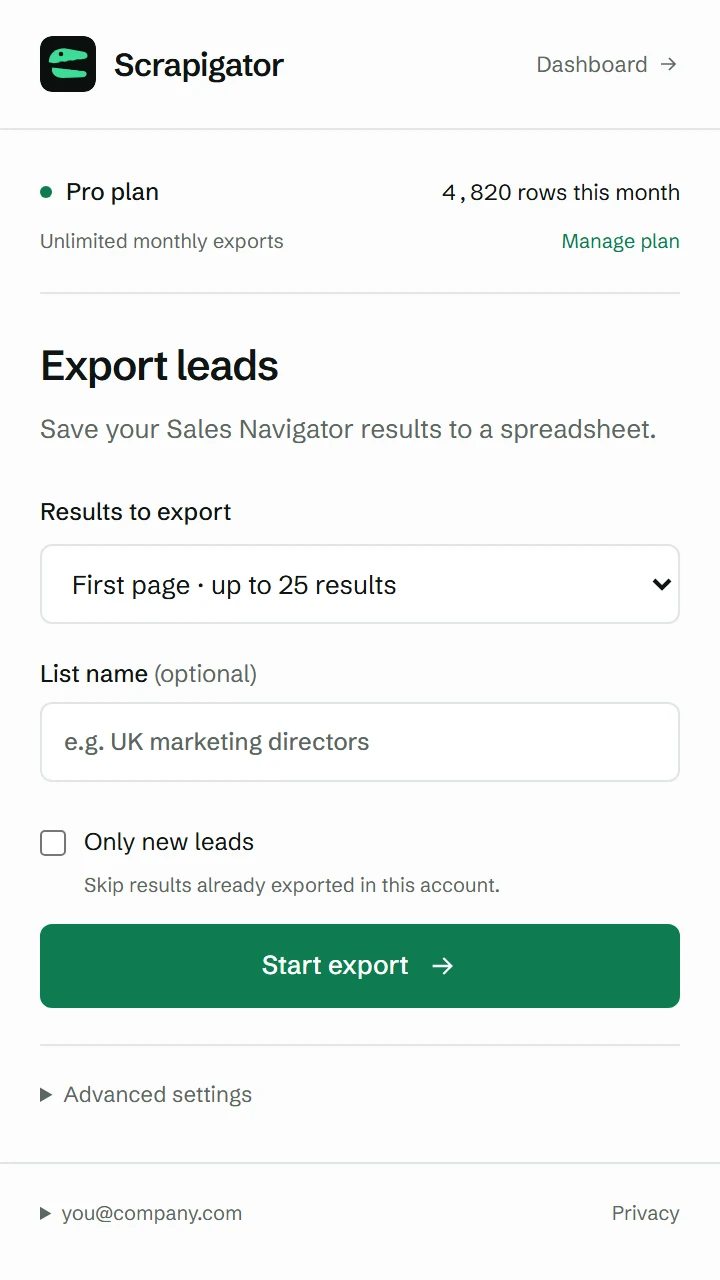
Turn a Sales Navigator lead search, account search or saved list into a spreadsheet. Scrapigator collects the results you choose in your own Chrome session, then lets you download a CSV or send the rows to Google Sheets. No per-lead export credits.
500 rows each month free · Pro $10/month · Sales Navigator account required
22 lead fields
Names, roles, companies, locations, dates and profile links.
Searches and saved lists
Export the results you selected in your Sales Navigator account.
CSV, Sheets or JSON
Keep a spreadsheet or use the same fields in another workflow.
How the Sales Navigator scraper works
1. Open your results
Run a lead or account search, or open a saved list, in Sales Navigator.
2. Choose the rows
Open the extension, select a page range or all available results, and press Start.
3. Use the file
Download CSV or JSON from the extension or dashboard. Open the CSV in Excel or Sheets.
Need the detailed walkthrough? Read the Sales Navigator export guide, including saved lists, Excel import and troubleshooting.
See what is in the export
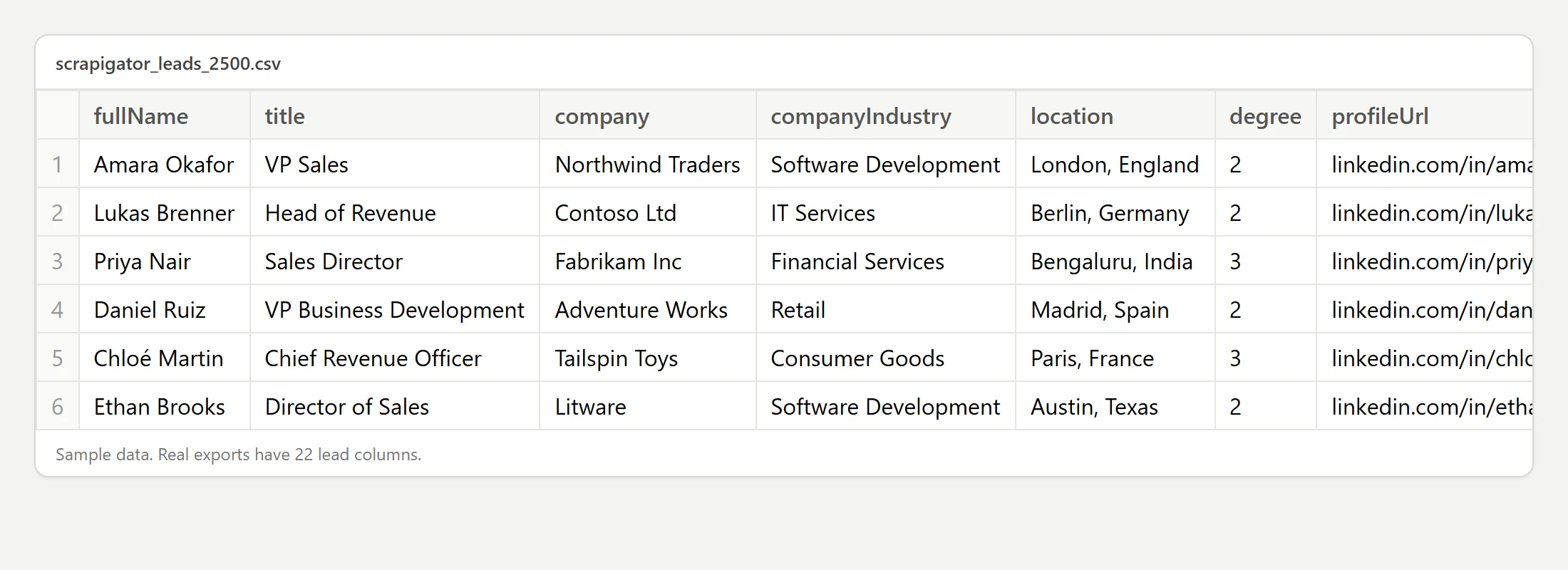
Lead rows include name, title, company, location, Sales Navigator URL and LinkedIn profile URL. Account exports have their own company fields. The same column names appear on every run, so spreadsheet formulas and imports can be reused.
Scrapigator does not add email addresses or phone numbers. Download the fictional sample CSV to inspect the format before you install anything.
Free to try, flat price when you need more
Free
$0
Export up to 500 rows per calendar month. No card required.
Pro
$10 / month
No monthly export row limit. Automatic splitting attempts to collect results beyond one search's visible limit.
LinkedIn shows up to 2,500 leads or 1,000 accounts in one search. The extension also has a daily pacing limit, set to 20,000 rows per browser by default. Read the search limits guide and full pricing details.
Understand the account risk
LinkedIn's User Agreement prohibits scraping extensions and accounts may be restricted. Scrapigator works in your own browser and paces requests, but these measures do not remove the risk. Read our plain-language risk guide before a large export.
Sales Navigator scraper questions
Is the Sales Navigator scraper free?
You can export 500 rows per calendar month for free without a credit card. Pro costs $10 per month and has no monthly export limit. A Sales Navigator subscription is required for either plan.
Can it export saved lead lists as well as searches?
Yes. Open a lead or account search or a saved list in Sales Navigator, then start the export from the Chrome extension. Search splitting applies to searches, not saved lists.
Does it find email addresses or phone numbers?
No. Scrapigator exports the fields available in Sales Navigator results, such as names, titles, companies and profile links. Use a separate enrichment service if you need contact details.
Can I open the export in Excel?
Yes. Download the CSV and open it in Excel or Google Sheets. Scrapigator does not generate a native XLSX file.
Is scraping Sales Navigator allowed by LinkedIn?
LinkedIn's User Agreement prohibits scraping extensions. Scrapigator paces exports and pauses when LinkedIn asks it to slow down, but using it can still lead to account restrictions.
Try it on your own search
Your first 500 rows each month are free.