On this page
How long the free trial lasts
One month. The trial auto-renews into a paid subscription on the billing date, one month after you started it.
LinkedIn emails a reminder seven days before the trial ends. If you started the trial on an Android device, LinkedIn says you will not get that reminder, so set your own.
Who can get a Sales Navigator trial
- You must not be on any paid LinkedIn subscription, including Premium or Sales Navigator.
- You must not have used any LinkedIn free trial in the past 365 days.
- LinkedIn offers self-serve trials for Core and Advanced. Availability can vary by plan and region.
- A payment method is required up front.
How to cancel before you are charged
- 1
Open the Admin Center
Core: Settings & Privacy, Subscriptions & payments, Manage Premium account, Manage Subscription. Advanced: Admin, then Admin Center. Then open Purchases.
- 2
Choose the trial
Select the Sales Navigator trial and choose Cancel free trial.
- 3
Do it at least a day early
LinkedIn asks you to cancel at least one day before auto-renewal. Ending a trial early removes access immediately.
- 4
Save your work first
LinkedIn says saved leads, saved accounts and messages are removed as soon as you cancel. Keep a copy of anything you need first.
Full steps for paid plans are on how to cancel Sales Navigator.
A 30-day test plan
Use the month to answer one question: does Sales Navigator find buyers you could not find on free LinkedIn?
| Week | Do this | Decide with |
|---|---|---|
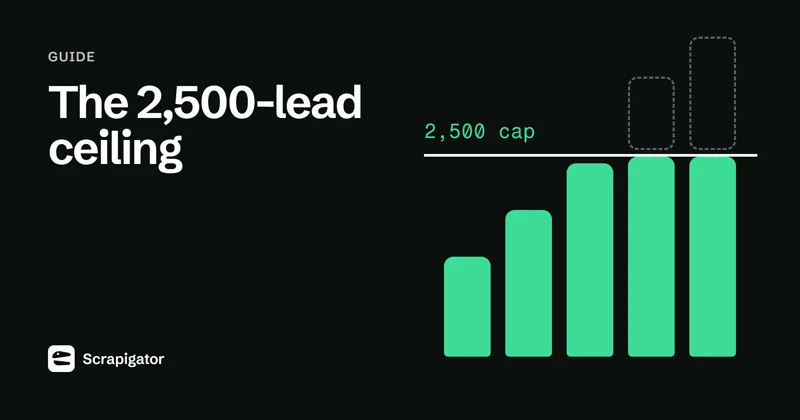
| 1 | Build 3 lead searches for your real buyer, save them, and note the result counts. | Are there enough matches? Remember only 2,500 leads per search are visible. |
| 2 | Contact 50 leads (InMail or connection request) and log replies. | Reply rate against your current channel. |
| 3 | Move the best search into a spreadsheet or CRM and enrich it. | Cost and time to get usable contacts. |
| 4 | Compare pipeline created against the monthly price (US$119.99 Core, US$159.99 Advanced). | Keep, downgrade to Premium, or cancel. |
Use the Boolean search guide in week 1 to tighten searches.
Getting your leads out of Sales Navigator
LinkedIn does not offer a CSV or Excel export of leads or accounts on any plan. Its official route out is CRM Sync on Advanced Plus.
Before the trial ends, decide what happens to the leads you found: LinkedIn removes saved leads as soon as you cancel.
If you are on Core or Advanced and want a spreadsheet, the options are copying rows by hand, a Sales Navigator scraper that runs in your browser, or a cloud tool. Our guide to export Sales Navigator leads compares them.
Know the rule before you pick one: LinkedIn's User Agreement prohibits scraping or copying the Services, including through browser plugins and add-ons, and LinkedIn says extensions may limit your searches or lead to restrictions. The safety guide covers that risk in full.
Related
Sources
Checked by hand on the dates shown. Vendors change plans, prices and limits without notice, so confirm on the linked page before you buy.
- LinkedIn: Sales Navigator compare plans (checked 2026-10-20)
- LinkedIn Help: cancel a free trial (checked 2026-10-20)
- LinkedIn Help: what happens when you cancel (checked 2026-10-20)
- LinkedIn Help: search result limits (checked 2026-10-20)
Questions
Is the Sales Navigator free trial really free?
Yes for one month, but it needs a payment method and auto-renews as a paid subscription unless you cancel at least one day before the billing date.
Can I get a Sales Navigator free trial twice?
Not within 365 days. LinkedIn trials are for members with no paid subscription who have not used a LinkedIn free trial in the past 365 days.
Is there a free trial for Advanced Plus?
LinkedIn offers self-serve trials for Core and Advanced. Advanced Plus is sold through LinkedIn sales, so ask them.
Do I keep my saved leads after the trial?
No. LinkedIn removes saved leads, saved accounts and messages when the subscription is cancelled, and they cannot be recovered.
Export your next Sales Navigator search
500 rows a month free. Pro is $10/month with unlimited exports and a 7-day money-back guarantee.